scrollytelling-brand-site
Build an award-level, scroll-told company website with a story told through scroll, a WebGL "layer by layer" 3D print scene, pinned sections, per-service 3D models, a projects gallery, an About page,
Files90
View on GitHubSKILL.mdskills/scrollytelling-brand-site/SKILL.md
GitHubScrollytelling Brand Site
Proven recipe from the Demo — The House of Prototyping build: Next.js 15 + React 19 + TypeScript, GSAP ScrollTrigger + Lenis, React Three Fiber, HMVC modules, optional .NET 10 CMS on SQL Server.
See it before you build it. These reference screenshots set the quality bar:
 |
 |
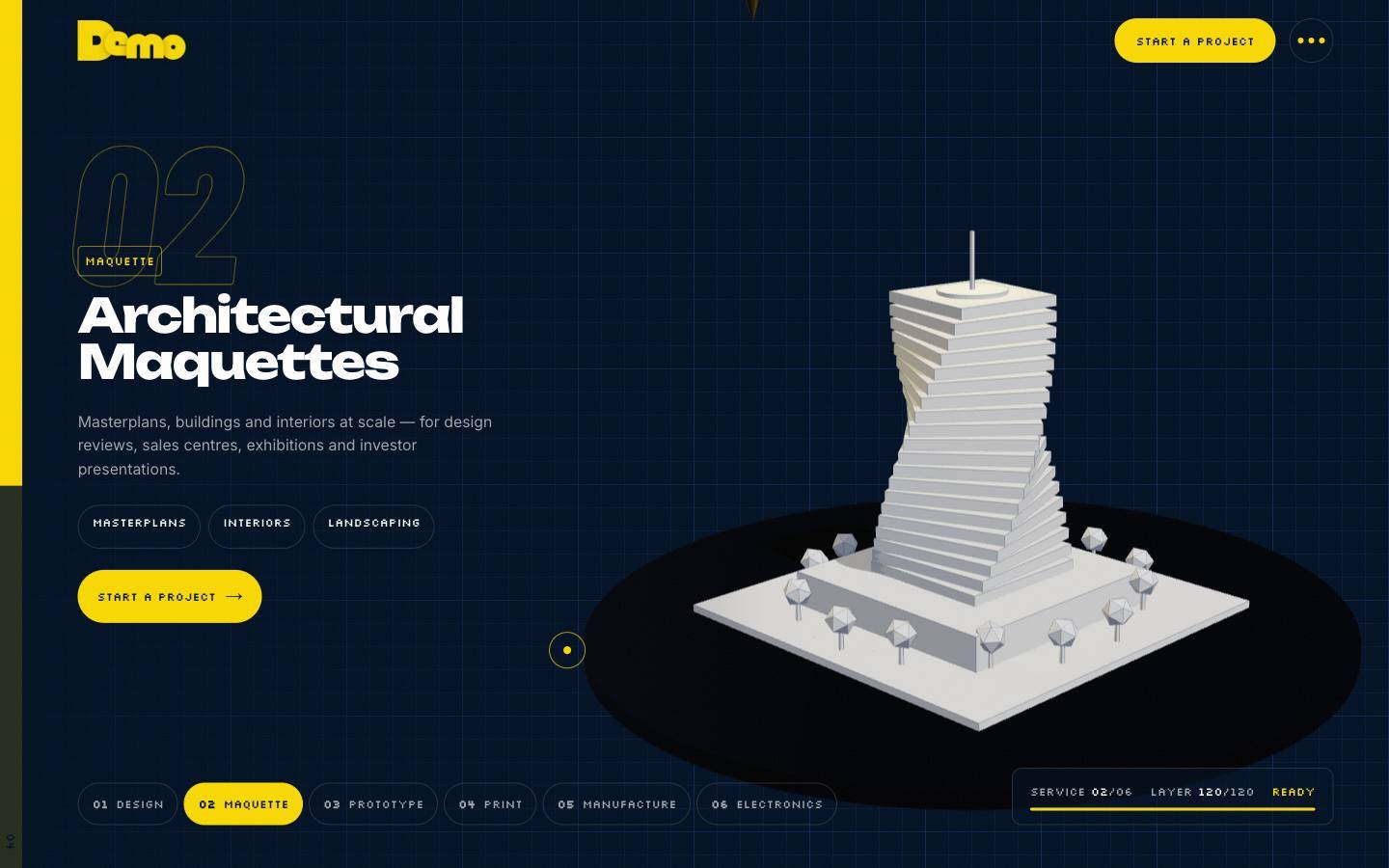 |
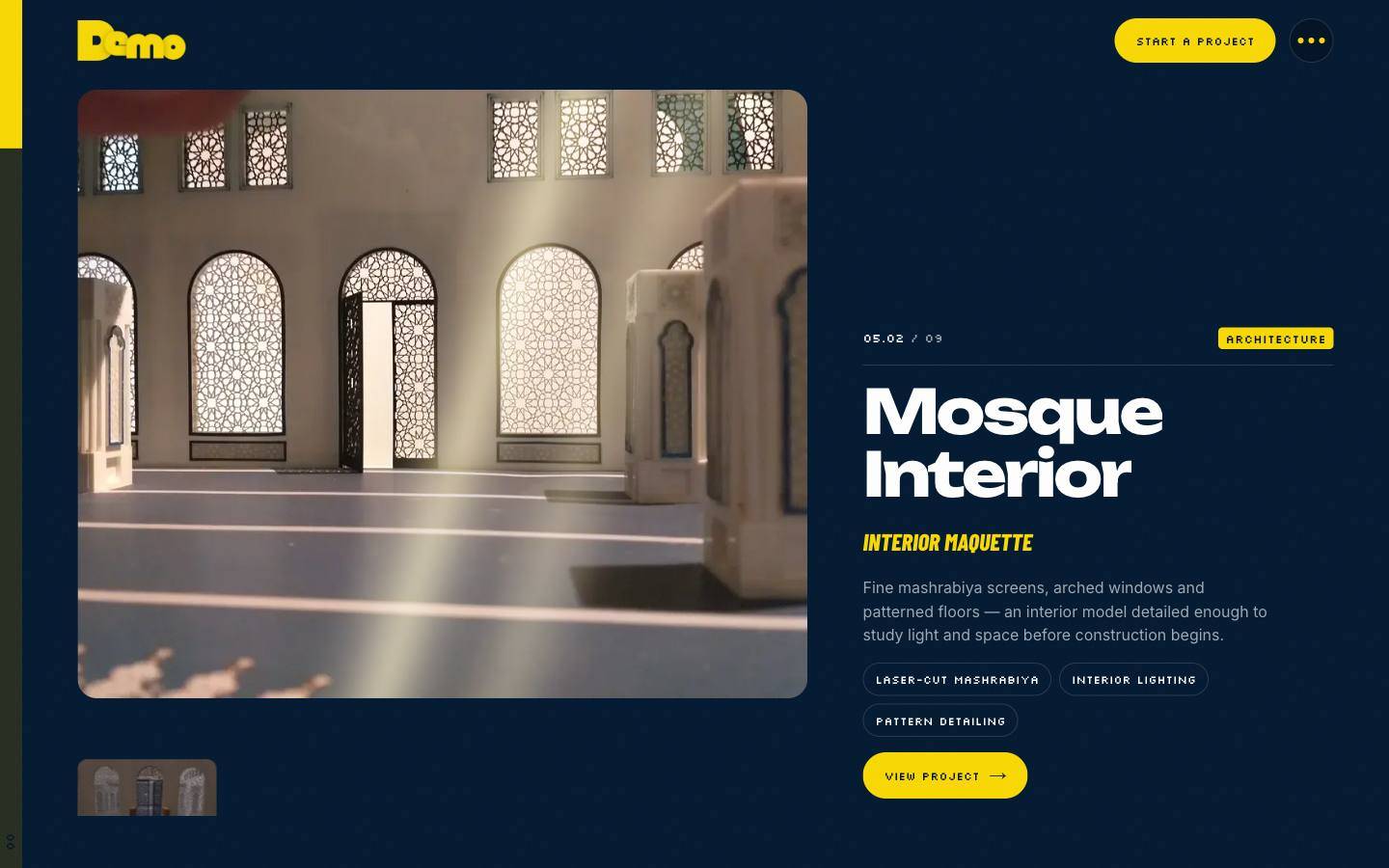 |
The full gallery, with what each shot demonstrates, is in references/gallery.md.
The non-negotiables
- A story, not sections. Find the brand's single metaphor and make scroll drive it. For a prototyping studio, the metaphor was an idea printing itself layer by layer. Every section is one beat of the story.
- The brand is the system. Pull exact colours, fonts and signature shapes from the logo and deck: the yellow highlight box, the three dots, the side rail. Turn them into CSS tokens and UI primitives first.
- HMVC. Each section is a self-contained module with
model/(content),controller/(hooks and GSAP),view/(TSX + CSS module) andindex.ts. Modules never import each other; they share onlysrc/core. - Content outlives code. Every module renders from its local model and optionally overrides it with CMS data. The site must look identical with the CMS offline.
- Light by default. Target ~0% CPU and 0 draw calls while idle and 60 fps while scrolling, on every device, with no quality cut on phones. Measure; don't guess (see
references/performance.md). - Responsive is part of done. Audit at 320, 390, 768, 1024, 1280, 1440 and 1920 px before saying "done" (see
references/responsive-qa.md). - Accessible and calm. Every pinned or 3D section needs a
prefers-reduced-motionfallback. Text must stay ≥ 12 px, touch targets ≥ 44 px, and every page needs a skip link.
Workflow
1. Discover (before writing code)
- Read everything the user gives you (deck, PDF, logo, photos). Extract brand colours with a script, not by eye. Extract project photos from PDFs into
public/images/as WebP. - Write down: the metaphor, the 8–10 story beats, the services (including "coming soon" ones), the projects, the team and the contact channels.
- Never invent facts: no client names, counts, years or awards. Leave TODOs for socials, the domain and the WhatsApp number, and list them in the README.
- Check the disk:
df -h /. Dev servers,.nextand NuGet caches can fill a small disk mid-build.
2. Scaffold the kernel
Copy assets/templates/src/core/**, src/app/{layout,page,globals.css} and next.config.ts, then adapt config/brand.ts and config/site.ts. The kernel gives you:
- a GSAP setup with the ScrollTrigger keep-alive skip, which roughly halves idle CPU,
- a sleeping Lenis loop,
- the observable store (the only channel between modules),
PageReadyandRouteEffectsfor multi-page navigation,useInView, the UI primitives (PixelTag,Dots,SectionLabel,SplitWordswith[[highlight]]),- the 3D print kit,
bakeParts,PrintableandWebGLGuard, - the CMS client with fallback.
Details: references/architecture.md.
3. Build the story, module by module
Use the beat catalogue in references/scroll-choreography.md: preloader print, pinned hero phases, kinetic statement, split panels, horizontal track, pinned per-service 3D sequence, case-study effects, marquees, scan-line portraits, form and finale. Start from assets/templates/src/modules/*.
For 3D, follow references/3d-print-scenes.md:
- bake models to one geometry,
- render with
frameloop="demand", - mount canvases only near the viewport,
- resume state when a canvas remounts,
- use aspect-aware framing.
4. Pages
- Home is the story.
- Add
/works(all case studies with filters),/works/[slug](gallery + accessible lightbox) and/about. - Mount
RouteEffectsonce in the layout. Inner pages render<PageReady/>; the preloader appears on Home only.
5. CMS (when the client must edit content)
Follow references/cms-dotnet.md:
- Clean Architecture on .NET 10, Blazor + MudBlazor admin, EF Core SQL Server, Identity roles.
- Write the public API contract (
docs/API.md) first, then the site types and mappers. - Contact form posts to an inbox (honeypot + rate limit), with WhatsApp as the fallback.
- Optional private QR contact cards at root addresses (
/qr).
6. Optimise and verify
- Production build only (
next build && next start) for measurements. - Run the measurement scripts in
references/performance.md: draw calls, idle CPU, idle rAF/s, heap, fps/p95, and how many canvases are alive. - Run the responsive audit, then look at screenshots at phone, tablet and desktop sizes.
- Confirm the server is serving the current build (compare chunk hashes). A stale
next-serverprocess gave wrong measurements once.
7. Ship it
- Commit in logical steps (kernel → sections → perf → responsive → pages → features) with clear messages.
- Write a README per repo: architecture, how to edit content, env vars, and a "to confirm before launch" checklist.
- Report results with measured numbers. State plainly what was not tested.
Parallel work with agents
Large builds go faster with one background agent for an independent slice, such as the pages and routing, or the CMS side of a feature. Give it:
- exact file boundaries (which folders it may touch, and the one line in
page.tsxit must not change), - "type-check only — no
next build, no server start/stop, no commits", - the API contract it must implement.
You integrate, build, measure and commit.
Gotchas that cost real time
- Two GSAP timelines on the same element and property record stale start values. Animate the wrapper in one timeline and its children in the other.
content-visibility: autohides descendants from IntersectionObserver. Observe the section or panel, never an element inside it.- Pinned sections must be created in DOM order. After route changes, call
ScrollTrigger.refresh()two frames later. - Headless Playwright Chromium downloads every
loading="lazy"image up front. Check lazy loading in a real browser (the app's browser pane) before "fixing" it. The real browser loaded 8 images at start, not 39. - The Next.js data cache and HTML (
x-nextjs-cache: HIT) can hide CMS changes. Rebuild while the CMS is up to prerender with CMS data. - SQL Server in Docker needs about 30 s after the container starts. A CMS started earlier skips its migrations; restart the CMS.
- The desktop app may stop preview servers when the session is idle. Check ports before testing and restart the servers if needed.
- Never print secrets. Generate passwords into
dotnet user-secretsand read them back only inside commands.
Reference files
references/gallery.md: every screenshot and the technique it showsreferences/architecture.md: stack, folder tree, kernel, module template, CMS fallbackreferences/scroll-choreography.md: the beat catalogue with GSAP patternsreferences/3d-print-scenes.md: print kit, baking, demand rendering, framing, modelsreferences/performance.md: budgets, measurement scripts, the fixes that workedreferences/responsive-qa.md: audit script, breakpoints, rulesreferences/cms-dotnet.md: CMS architecture, API contract, inbox, QR cards, opsassets/templates/: copy-ready kernel files and example modules from the real build